
Legal AI Agents: What They Do and How Law Firms Can Use Them

Legal AI agents can take a crowded legal workflow and turn it into a series of manageable steps. Picture a client sending over a 40-page services agreementProfessional Services Agreement (PSA)A Professional Services Agreement (PSA) governs specialized services and establishes terms for fees, SOWs, IP, confidentiality, warranties, liability, change control, and termination.View definition on Friday afternoon. The partner wants a risk summary, proposed changes, and a response ready for review. Usually, that means opening several files, finding the relevant clauses, researching any legal issues, and drafting everything by hand.
An AI agent may help with several of those steps. It can inspect the agreement, extract relevant terms, compare them with instructions, prepare an issues list, and suggest edits. A lawyer still needs to check the result. Yet the first pass no longer has to start from a blank page.
So what qualifies as an agent, which jobs are worth delegating, and how can a law firm adopt one responsibly? Here is a practical guide, including examples of where LawyerAI.co fits into a modern legal workflow.
What Are Legal AI Agents?
Legal AI agents are software systems that can plan or carry out multiple steps of a legal task using AI models, documents, and approved tools. For example, an agent might read a contract, compare its clauses with a review checklist, draft a risk summary, and prepare suggested revisions for a lawyer to approve.
The key feature is multi-step action. A traditional chatbot usually answers one question at a time. An agent can work toward a defined goal and, depending on its permissions, use additional tools along the way.
However, the word agent gets used loosely. Some products provide an excellent legal assistant without independently executing a full workflow. Others can retrieve documents, call connected systems, or prepare actions for approval. The American Bar Association's 2026 introduction to agentic AI makes this distinction clear: true agentic behavior requires more than a chatbot with a new label.
How Do Legal AI Agents Work?
Most useful legal AI workflows have five stages. The level of automation varies by platform, firm policy, and task.
The Lawyer Defines the Assignment
First, the user provides a goal and boundaries. For example: "Review this independent contractor agreement under California law. Flag payment, intellectual property, and termination risks. Do not send anything to the client."
Clear instructions matter. The agent needs to know the jurisdictionLegal DisputeA legal dispute is a disagreement or controversy involving claimed legal rights, duties, liabilities, property, or remedies. It can be resolved through negotiation, mediation, arbitration, administrative proceedings, litigation, or settlement depending on the...View definition , the client's position, the documents it may use, and which decisions require approval.
The System Gathers Relevant Context
Next, the agent may read approved files, identify parties and dates, retrieve a clause checklist, or search connected legal sources. Some systems work within a matter workspace. Others need separate integrations to access documents.
This step can make or break the result. A polished answerCivil LitigationCivil Litigation is the court process for resolving noncriminal disputes through pleadings, motions, discovery, settlement, trial, judgment, and possible appeal. Federal civil litigation follows the Federal Rules of Civil Procedure, while state systems...View definition based on the wrong contract version is still the wrong answer.
It Breaks the Work Into Smaller Tasks
The system may identify missing facts, compare provisions, research a specific legal issue, and organize findings. It can also flag questions for the attorney rather than guessing.
For example, if a non-compete clause raises a state-law issue, the agent should identify that legal question. Then the attorney can check the governing lawBoilerplate ClauseA boilerplate clause is standardized contract language addressing recurring legal mechanics such as notice, assignment, governing law, waiver, severability, and integration.View definition and the contract's facts before relying on any recommendation.
It Prepares a Reviewable Output
The result might be a clause-by-clause summary, a draft memo, a proposed redline, a timeline, or a response letter. Better workflows make it easy to trace conclusions to documents or legal sources.
A Human Reviews and Approves
Finally, the responsible lawyer checks the facts, authorities, omissions, and tone. External actions, such as sending advice, accepting terms, or filing documents, deserve explicit human approval and additional safeguards.
Legal AI Agent vs. Chatbot vs. Legal Assistant: What's Different?
These labels overlap in marketing materials. In practice, the difference comes down to the work each tool can perform.
| Tool | Typical role | Example |
|---|---|---|
| General AI chatbot | Answers prompts and drafts text | Explains an indemnity clauseIndemnity DefinitionIndemnity is a legal obligation to compensate or protect another party against specified losses, claims, liabilities, or expenses. It commonly arises through contracts and insurance and can include reimbursement, defense duties, settlement procedures,...View definition |
| Legal AI assistant | Helps research, review, and prepare legal work | Reviews a clause and suggests revisions |
| Legal AI agent | Coordinates multiple task steps with defined permissions | Reviews clauses, checks a playbook, and prepares a redline |
| Traditional legal automationLegal Workflow AutomationLegal workflow automation uses forms, rules, integrations, and AI to move repeatable legal work through defined steps, reducing manual coordination while preserving appropriate review and escalation.View definition | Runs predefined rules and workflows | Routes an approved contract for signature |
For more background, read our AI lawyer guide.
One platform may combine several approaches. Moreover, an agent does not need permission to act independently on a client's behalf to be useful. In legal practice, controlled workflows are often the better starting point.
7 Practical Uses for Legal AI Agents in Law Firms
The most promising assignments have clear inputs, repeatable steps, and results a professional can verify. Start with these seven.
Contract Review and Redlining
A legal AI workflow can scan agreements for unusual terms, missing provisions, and differences from a firm's preferred language. For instance, it may flag a one-sided indemnityThird Party ComplaintA third-party complaint uses Rule 14 impleader to bring a nonparty into a lawsuit when that person may be liable to a defending party for all or part of the original claim.View definition , an automatic renewal clauseAuto Renewal ClauseAn Auto Renewal Clause automatically extends a contract unless a party provides timely cancellation or nonrenewal notice under the agreement and applicable law.View definition , or a payment provision that conflicts with the client's instructions.
Then it can prepare an issues list or proposed revisions. The attorney decides which risks matter commercially and which changes to accept. This is especially useful for nondisclosure agreements, service contracts, and other documents a firm reviews regularly.
Legal Research and Source Collection
An AI research workflow can turn a client's question into smaller issues, search available legal materials, summarize relevant authorities, and outline unanswered questions.
Still, a citation is only a starting point. Lawyers should open the original case or statuteStatutory LawStatutory law is written law enacted by a legislative body through the formal lawmaking process. Federal and state statutes can create rights, duties, prohibitions, causes of action, procedures, penalties, and remedies, and courts...View definition , confirm the quoted proposition, check the date, and investigate subsequent treatment. They must also confirm that the source applies to the right jurisdiction and factual situation.
Drafting Letters, Motions, and First Versions
Drafting becomes easier when the system already has a factual summary and relevant source material. For example, a firm could use an agent-assisted workflow to prepare a demand-letter outline, a contract addendumContract AddendumA Contract Addendum adds supplemental material to an existing contract or completed document. It commonly contains schedules, specifications, disclosures, or additional terms and should address incorporation, signatures, effective date, and priority with the...View definition , or a response to a disputed invoice.
The output should be treated as a draft. Court filings, legal conclusions, and client-facing advice require attorney review. Deadlines, local rules, and procedural requirements need separate verificationVerified ComplaintA verified complaint is a complaint accompanied by a sworn verification or declaration under penalty of perjury confirming specified factual allegations.View definition .
Matter Organization and Chronologies
Clients rarely deliver information in a neat folder. Instead, they send emails, agreements, screenshots, invoices, and notes at different times. AI can help identify parties, key dates, payment amounts, and recurring issues across those materials.
As a result, a legal team can build a working chronology and identify gaps earlier. However, extracted facts still need to be checked against the underlying documents.
Litigation Preparation and Document Summaries
In litigation, AI may help summarize deposition transcripts, categorize discoveryCivil CourtCivil court is a general term for a court handling noncriminal disputes involving people, businesses, organizations, or government entities. Civil cases can involve contracts, injuries, property, employment, civil rights, and other disputes and...View definition materials, organize factual allegations, and assemble a list of potential follow-up questions.
For example, a team could ask the system to find every mention of a particular project deadline across authorized records. The lawyer can then examine each result in context. The agent's shortlist does not replace a complete discovery reviewLegal Document ReviewLegal document review is the structured examination of documents for relevant facts, obligations, legal risk, privilege, evidence, and required action.View definition or professional judgmentCivil LawsuitA civil lawsuit is a noncriminal court action in which a plaintiff seeks a legal remedy from a defendant. The process can include jurisdiction, pleadings, service, discovery, motions, settlement, trial, judgment, enforcement, and...View definition .
Client Intake and Routine Communications
Some systems can organize information from intake forms, prepare follow-up question lists, or draft straightforward client updates. This may reduce administrative back-and-forth.
However, firms must take extra care with prospective-client confidentialityEmployment ContractAn employment contract is an agreement defining terms of an employer-employee relationship. It can cover duties, compensation, benefits, equity, confidentiality, intellectual property, restrictive covenants, termination, severance, and dispute procedures while remaining subject to...View definition , conflicts, misleading statements, and unauthorized legal advice. Public-facing tools should have a narrow scope and an escalation path to a person.
Compliance Checks and Recurring Reviews
For clients with repeatable obligations, an agent-style process may compare documents with an approved checklist, surface changes that need attention, or draft an internal compliance summary.
These uses depend on current, authoritative materials. A system that cannot verify the latest rule should say so. The attorney remains responsible for determining what the rule requires in a specific case.
Example: From a Client Contract to an Attorney-Ready Response
Consider this illustrative scenario. A small law firm receives a consulting agreement on behalf of a freelance designer. The client is worried about delayed payment and a broad ownership clause.
- Open the matter. The team stores the agreement and the client's notes together.
- Identify the issues. An AI assistant highlights the payment schedulePayment Terms ClauseA payment terms clause explains how and when a customer pays for goods or services. Learn about Net 30, deposits, milestones, disputed invoices, and late fees.View definition , intellectual propertyIntellectual PropertyIntellectual property, or IP, is a group of legal rights that protect certain inventions, creative works, brands, and confidential business information. Major U.S. categories include patents, copyrights, trademarks, and trade secrets.View definition language, termination terms, and missing facts.
- Check the law. The lawyer identifies the governing jurisdiction and verifies any legal questions using primary sources.
- Prepare options. The system drafts alternative clauses and a concise explanation of their tradeoffs.
- Review the response. The attorney checks every suggested change, chooses a negotiationAlternative Dispute ResolutionAlternative Dispute Resolution, or ADR, includes negotiation, mediation, arbitration, settlement conferences, and other processes used outside ordinary trial adjudication. Each method differs in neutrality, confidentiality, party control, binding effect, cost, and review.View definition position, and approves the client-facing draft.
In this example, the AI is valuable because each task builds on the same documents and facts. A final response still reflects the attorney's judgment, the client's priorities, and the applicable law.
How LawyerAI.co Can Help With These Workflows
LawyerAI.co is being developed around a practical idea: legal researchLegal ResearchLegal research is the process of finding, evaluating, updating, and applying legal authority to answer a legal question. Strong research identifies controlling primary law, uses secondary sources efficiently, checks jurisdiction and hierarchy, validates...View definition , contract review, document drafting, and matter context work better when they are connected. The aim is to help lawyers and other users move through a legal issue without repeatedly reconstructing the background in separate chats.
For a law firm exploring AI-assisted workflows, that approach can support several useful steps:
- Jurisdiction-aware questions: Frame research around the relevant state or legal jurisdictionJurisdiction DefinitionJurisdiction is a court’s legal authority to hear a case, issue orders, and bind the parties. Courts may need subject matter jurisdiction over the type of dispute and personal jurisdiction over the defendant...View definition rather than relying on a generic answer.
- Contract review and redliningContract RedliningContract redlining shows proposed additions, deletions, and comments in an agreement so parties can negotiate exact wording. Learn the workflow, key clauses to review, AI-assisted edits, and how to finalize a clean contract.View definition : Identify provisions worth examining and prepare proposed edits for professional review.
- Matter workspaces: Keep related documents, facts, and conversations connected to the same legal issue.
- Document and letter drafting: Move from an issue summary to a first draft that a lawyer can refine.
- Specialist assistance: Organize work around the legal discipline or matter type involved.
For example, the intended LawyerAI.co workflow can begin with an uploaded agreement, continue through a jurisdiction-focused review, and lead to a proposed redline or response letter. A lawyer can assess the findings and decide what happens next. Features and availability may vary as the platform develops.
It is also important to use accurate terminology. A guided assistant that helps complete these steps is not necessarily an autonomous agent that can execute them without prompting. LawyerAI.co should be evaluated for the specific workflows available to your team, not assumed to have unrestricted agent permissions.
Interested in a matter-focused AI legal workspace? Explore LawyerAI.co and assess how its research, review, and drafting tools fit your firm's review process.
What Benefits Can a Law Firm Expect?
Legal AI agents can be attractive for three reasons. First, they may reduce the time spent gathering and organizing information. Second, they can make routine reviews more consistent when teams use the same instructions. Third, they can help attorneys reach the judgment-heavy part of a matter sooner.
However, none of these outcomes is automatic. Training, document quality, supervision, integration costs, and corrections all affect the result.
How to Measure the Return on Investment
Measure reviewed, usable work rather than the speed of a generated answer. A simple pilot can track:
- Time spent on the task before and after AI assistance
- Attorney time needed to verify and correct the output
- Substantive errors, missed issues, and unsupported citations
- Time from intake to the first attorney-approved draft
- Tool costs and any additional security or integration work
For example, if an AI saves 20 minutes on drafting but adds 25 minutes of correction, that task did not produce a time saving. An honest comparison should include the full review cycle.
What Are the Risks of Legal AI Agents?
Legal practice carries higher stakes than ordinary office automation. Before expanding an AI workflow, firms should address these risks directly.
Incorrect Law and Fabricated Citations
Generative AI can produce confident but inaccurate answers. It may also invent case citations or describe a real authority incorrectly. The NIST Generative AI Profile identifies this kind of confabulation as a risk that organizations need to manage.
Require source checks for legal propositions. In addition, confirm that the law is current, relevant, and still valid. If a tool cannot retrieve dependable authority, the research should remain unverified.
Client Confidentiality and Vendor Data Practices
Before uploading a client's materials, check the provider's data retentionRight to DeleteThe Right to Delete allows individuals to request deletion of qualifying personal information under laws such as the GDPR and CCPA. The right is subject to legal exceptions, identity verification, response deadlines, vendor...View definition rules, model-training terms, access controls, subprocessors, and security arrangements. Consider confidentiality, privilege, client instructions, and any consent requirements that apply.
A marketing promise about privacy is no substitute for reviewing the actual terms and safeguards. Firms also need clear internal rules about which documents staff may upload.
Over-Automation and Unauthorized Actions
Agents can misunderstand instructions or rely on untrusted content inside documents. Therefore, treat third-party text as evidence to evaluate, not as instructions the agent must obey. Limit tool permissions and require approval before an AI system sends messages, changes authoritative records, or takes external action.
Supervision, Communication, and Billing
The ABA's Formal Opinion 512 guidance addresses lawyer competence, confidentiality, client communication, supervision, candor, and reasonable fees when using generative AI. It does not replace the professional rules of a lawyer's own jurisdiction.
In particular, firms should avoid billing a client for time that was not actually spent under an hourly arrangement. The appropriate treatment of fees, costs, and disclosures depends on the engagement and applicable rules.
How Should a Law Firm Start Using Legal AI Agents?
A focused pilot is more informative than buying a tool and asking everyone to use it. Choose one repeatable task with a manageable risk level.
Week 1: Select One Workflow and Define Success
Start with something like an NDA first pass or a contract-issue summary. Gather representative documents you are permitted to use. Then document the team's existing process, average time, and common quality issues.
Week 2: Set Rules and Review Permissions
Decide which files the system may access. Set jurisdiction requirements, output formats, citation rules, and mandatory review steps. Also identify tasks the agent may never perform automatically.
Week 3: Test Against Known Examples
Run the system on a small sample with outcomes attorneys already understand. Include tricky examples, outdated clauses, missing documents, and conflicting facts. Record both correct findings and missed issues.
Week 4: Review the Results and Decide What Expands
Compare total task time, correction effort, cost, and accuracy. Ask the attorneys whether the output was useful. Then decide whether to expand, redesign, or stop the workflow.
For higher-risk uses, extend the pilot and involve the firm's professional-responsibility, privacy, and security decision-makers.
How Do You Choose a Legal AI Agent for Your Firm?
Before signing up, ask vendors for a demonstration using a realistic document and the firm's own acceptance criteriaService AgreementA service agreement is a contract in which one party agrees to perform services for another party in exchange for payment or other consideration. It commonly covers scope, fees, deliverables, service levels, intellectual...View definition . A useful evaluation checklist includes:
- Jurisdiction: Can the tool distinguish states and explain gaps in legal coverage?
- Sources: Can an attorney inspect the original authority and verify its relevanceRelevanceRelevance asks whether evidence tends to make a consequential fact more or less probable. Federal Rules 401 and 402 establish the basic threshold, while Rule 403 permits exclusion when specified dangers substantially outweigh probative value.View definition ?
- Document context: Does it use the correct version, parties, dates, and instructions?
- Agent permissions: What actions can it take, and where are approval gates?
- Privacy: What are the data-use, retention, access, and deletion terms?
- Workflow fit: Does it support the contract, research, drafting, or matter tasks you actually perform?
- Output quality: Can it flag uncertainty and show what needs human review?
- Economics: What does each completed, attorney-approved task really cost?
A tool that handles one valuable workflow reliably may be a better investment than an impressive demo with no clear controls.
Will Legal AI Agents Replace Lawyers or Paralegals?
Legal AI agents can take on portions of document-heavy and repeatable work. They may also change how firms allocate junior-associate, paralegal, and administrative tasks. However, those developments do not establish that AI can assume the professional responsibility of a licensed attorney.
Legal strategy, client counseling, negotiation, credibilityCross ExaminationCross Examination is questioning of a witness by an opposing party after direct examination. Federal Rule 611 generally permits leading questions and allows inquiry into the subject of direct testimony and credibility, while...View definition assessments, and final decisions depend on context and judgment. Furthermore, lawyers remain accountable for work done on their clients' behalf. Law firms should train staff to evaluate AI output, not simply accept it.
The Bottom Line on Legal AI Agents
Legal AI agents are most useful when they help a team complete a defined sequence of work: collect facts, review documents, research issues, prepare drafts, and surface decisions for a lawyer. Their value depends on accuracy, appropriate permissions, and the quality of professional review.
For firms starting out, contract review and matter preparation offerOffer and AcceptanceOffer and Acceptance describes how parties manifest mutual assent to a contract. A valid offer gives another party power to accept, while acceptance must objectively communicate assent through an authorized method, subject to...View definition practical pilots. A matter-focused platform such as LawyerAI.co is worth evaluating if you want legal research, document review, and drafting to share context. Keep a lawyer in charge of the final output, and judgeJudgeA Judge is a judicial officer who presides over legal proceedings, applies law, manages procedure, rules on motions and evidence, and issues orders or judgments. Trial, appellate, Article III, magistrate, bankruptcy, and state...View definition the software by the quality of work it helps your team complete.
This article provides general educational information, not legal advice. Rules of professional conduct, privacy obligations, and legal requirements differ by jurisdiction. Always verify current law and applicable local rules.
Sources and Further Reading
Legal AI Agents: FAQs
What is a legal AI agent?
A legal AI agent is an AI-enabled system that can carry out multiple steps of a legal task, such as reading a contract, checking it against instructions, and preparing proposed changes. Its autonomy and available tools depend on the product. Lawyers should review consequential results.
How are legal AI agents different from ChatGPT?
A general chatbot typically responds to prompts. A legal AI agent may coordinate a series of steps and use connected documents or tools with defined permissions. Some legal AI assistants offer guided workflows without being fully autonomous agents.
What can law firms use legal AI agents for?
Common uses include first-pass contract reviews, legal research support, document summaries, chronology building, draft letters, intake organization, and recurring compliance checklists. Suitability depends on the task, available legal sources, and the firm's controls.
Can legal AI agents give legal advice?
AI systems can generate legal information and draft proposed analysis. That does not make the software a licensed attorney. A lawyer should evaluate any advice delivered to a client, and rules about the practice of law vary by jurisdiction.
Are legal AI agents accurate enough for court filings?
Do not assume so. AI can misstate facts, invent citations, or omit controlling authority. Attorneys should independently check every material assertion and follow relevant court rulesPrimary AuthorityPrimary Authority is law issued by an institution with official power to create or state legal rules. Constitutions, statutes, regulations, court decisions, and court rules can be primary authority, while binding effect depends...View definition before filing anything.
How can LawyerAI.co benefit a law firm?
LawyerAI.co is being developed to connect jurisdiction-aware legal questions, contract review, drafting, and matter context. That approach can help a firm move from a document or question toward a reviewable next step while keeping professional approval in the workflow. Confirm current feature availability before relying on a specific capability.
How should a small law firm begin?
Pick one repeatable, lower-risk task such as an NDA issue summary. Define review rules, test against known documents, and measure time saved after all corrections and attorney checks. Expand only if accuracy and safeguards are acceptable.
You'll probably like:
More from Legal AI & Technology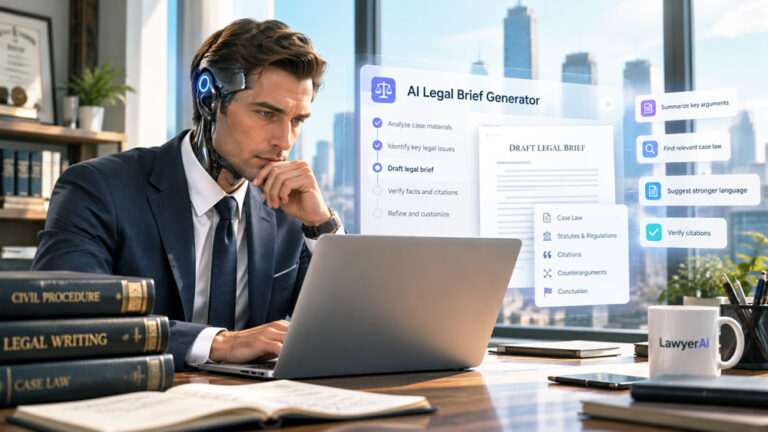
Get Answers Built Around Your Situation
Ask Lawyer AI about your situation, review documents and keep every legal issue organized in one place.
Comments