
AI Legal Brief Generator: How It Works and What to Verify
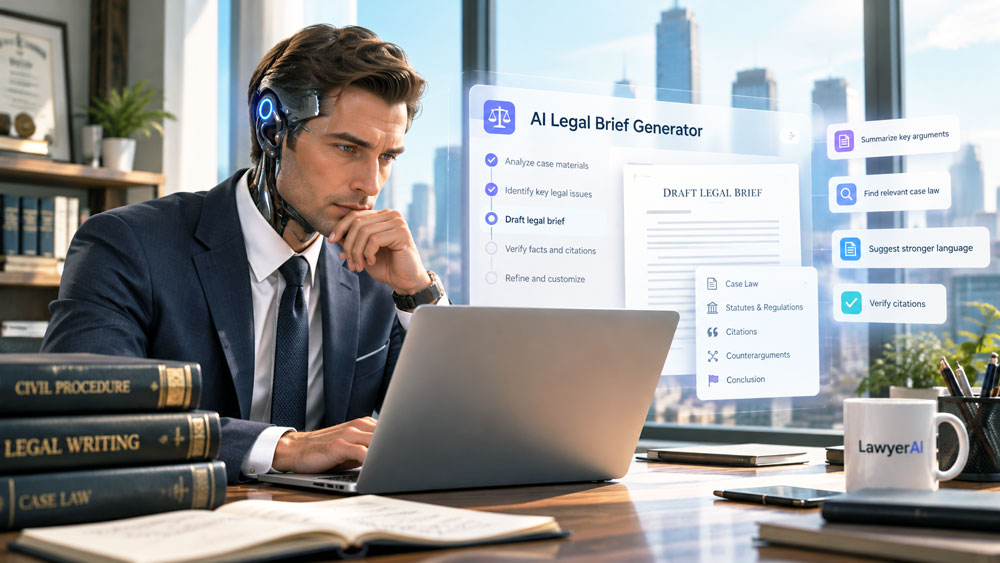
An AI legal briefLegal BriefA Legal Brief is a written court submission presenting facts, law, argument, and requested relief. Brief formats vary by proceeding and can include appellate briefs, motion briefs, trial briefs, reply briefs, and amicus...View definition generator can turn case notes, legal questions, and supporting documents into a first draft. That sounds appealing when a filing deadlineStatute of LimitationsA statute of limitations is a law that sets a deadline for starting a legal claim. The deadline varies by jurisdiction and claim type, and rules about accrual, discovery, tolling, or repose can...View definition is close. Yet every sentence in a court submission needs a reliable foundationDirect ExaminationDirect Examination is questioning of a witness by the party that called the witness. It generally uses nonleading questions to establish personal knowledge, foundation, facts, exhibits, and expert opinions before cross-examination.View definition . A fabricated case, an outdated rule, or one misplaced record citationLegal CitationLegal citation is the standardized method used to identify and locate legal authorities and record materials. Accurate citations identify the source, provide precise support through pincites or section references, and follow the rules...View definition can create serious problems.
Suppose you are preparing an oppositionMotionA Motion is a formal request asking a court to issue an order or grant specific relief. Federal Rule 7(b) generally requires motions to state their grounds with particularity and identify the relief...View definition to a motion. You have a client statement, three exhibits, the opposing brief, and a stack of cases. AI may help you sort the arguments and build an outline. It may also propose language for each section. The harder work comes next: confirming the law, checking the evidence, and deciding which arguments deserve to appear in court.
This guide explains how AI-assisted brief drafting works, where it saves effort, and what to verify before anyone signs or files a document. We will also look at how LawyerAI.co can support the research, review, and drafting work around a brief.
What Is an AI Legal Brief Generator?
An AI legal brief generator is software that helps research, outline, or draft a persuasive legal document using a lawyer's instructions, case materials, and, in some products, connected legal sources. It may suggest issues, summarize facts, organize authorities, and prepare prose for attorney review.
The term covers several kinds of tools. Some are simple text generators. Others combine document analysis, legal researchLegal ResearchLegal research is the process of finding, evaluating, updating, and applying legal authority to answer a legal question. Strong research identifies controlling primary law, uses secondary sources efficiently, checks jurisdiction and hierarchy, validates...View definition , and drafting within a matter workspace. The difference affects how much checking you must do and how easy it is to trace the output to its source.
In U.S. practice, a brief commonly presents a party's arguments to a court. The exact document depends on the proceeding. An appellate briefCourt of AppealsA court of appeals is a court that reviews decisions from lower courts. Federal courts of appeals usually examine the existing record for legal error rather than conducting a new trial or hearing...View definition differs from a memorandum supporting a trial-court motion. A legal research memorandumLegal MemorandumA legal memorandum is an organized written analysis of a legal issue based on facts, research, and relevant authority. It typically frames the question, states a brief answer, presents material facts, analyzes governing...View definition may be written for a client or internal team instead of a judgeJudgeA Judge is a judicial officer who presides over legal proceedings, applies law, manages procedure, rules on motions and evidence, and issues orders or judgments. Trial, appellate, Article III, magistrate, bankruptcy, and state...View definition .
What Can an AI Brief Writer Actually Produce?
- Issue outlines: Questions presented, elements, and possible argument headings.
- Fact summaries: A draft chronology drawn from documents you supply.
- Research starting points: Search terms, potentially relevant authorities, and questions needing confirmation.
- Argument drafts: Proposed analysis built around a specified position and legal standard.
- Editing suggestions: Tighter headings, clearer transitions, shorter sentences, and responses to counterarguments.
- Review checklists: Missing facts, unresolved citations, record references, and filing requirements.
These outputs can help an attorney reach a workable draft faster. However, their quality depends on the information provided, the tool's access to reliable sources, and the care taken during review.
How Does an AI Legal Brief Generator Work?
Most systems follow a similar sequence, although specific features differ by product.
Define the Court, Task, and Legal Position
The user identifies the jurisdictionLegal DisputeA legal dispute is a disagreement or controversy involving claimed legal rights, duties, liabilities, property, or remedies. It can be resolved through negotiation, mediation, arbitration, administrative proceedings, litigation, or settlement depending on the...View definition , court, document type, requested relief, and party position. Strong instructions also state the issues to address and the arguments the other side has raised.
For example: "Prepare an outline for an opposition to a motion to compel arbitration. Use only the attached agreement and the authorities I approve. Flag every missing record citation. Do not invent case citations or legal propositions."
That instruction gives the AI a clear assignmentAssignmentAssignment transfers a contractual right or other legal interest from an assignor to an assignee. Most rights can be assigned, but contract restrictions, personal rights, material changes to the obligor’s burden, notice, defenses,...View definition . It also reserves source selection and final legal judgmentCivil LawsuitA civil lawsuit is a noncriminal court action in which a plaintiff seeks a legal remedy from a defendant. The process can include jurisdiction, pleadings, service, discovery, motions, settlement, trial, judgment, enforcement, and...View definition for the lawyer.
Supply the Facts and Record
Next, the tool needs the relevant record: pleadings, contracts, declarations, orders, hearing transcripts, and other permitted documents. It may extract names, dates, key clauses, and disputed events.
Use the correct versions. A superseded contract or an early draft of a declarationSummary JudgmentSummary judgment is a court ruling entered without a full trial when no genuine dispute exists over any material fact and the moving party is entitled to judgment as a matter of law....View definition can quietly change the story. Also distinguish allegations from evidence and admitted facts from contested ones.
Identify the Legal Standard and Authorities
A more advanced system may retrieve cases or statutesPrimary AuthorityPrimary Authority is law issued by an institution with official power to create or state legal rules. Constitutions, statutes, regulations, court decisions, and court rules can be primary authority, while binding effect depends...View definition . Still, retrieved material needs scrutiny. A relevant-looking opinion might come from a different jurisdiction, apply a different procedural standard, or discuss a rule that has since changed.
Check whether each authority is binding, persuasive, distinguishable, or no longer good lawShepard's CitationShepard's Citations is a legal citator used to verify the history and subsequent treatment of cases, statutes, regulations, and other legal authorities.View definition . Read the underlying opinion or statuteStatutory LawStatutory law is written law enacted by a legislative body through the formal lawmaking process. Federal and state statutes can create rights, duties, prohibitions, causes of action, procedures, penalties, and remedies, and courts...View definition , including the surrounding passage. An AI summary is only a starting point.
Build the Outline and First Draft
After collecting the inputs, the AI may arrange issues under headings and propose a legal argument. It can connect factual assertions with placeholders for record citations. It may also draft a summary of the argument and the requested relief.
Ask for missing support to be marked clearly. If a fact or citation is unknown, the draft should say so. A visible gap is easier to resolve than a confident but unsupported sentence.
Revise With Attorney Review
Finally, the attorney checks the proposed text line by line, confirms every source, adds record citations, strengthens the analysis, and formats the brief for the specific court. Professional review remains central even when the generated draft reads well.
AI Legal Brief Generator vs. Legal Research Tool vs. Document Template
All three can help with legal writing, but they solve different parts of the job.
| Tool | Best starting use | Main limitation to check |
|---|---|---|
| AI legal brief generator | Drafting an outline or persuasive sections | Whether facts, law, and citations are accurate |
| Legal research platformLegal Research SoftwareLegal research software helps users find, organize, analyze, and validate cases, statutes, regulations, court rules, secondary sources, and other legal materials. Modern platforms can combine search, citators, alerts, document databases, and AI-assisted research.View definition | Finding cases, statutes, and related authority | Coverage, currency, and treatment of authorities |
| Legal document template | Creating a consistent structure | Fit with the court, proceeding, and local rules |
| Matter workspace | Keeping files, instructions, and drafts together | Whether the correct record and version are in use |
A useful drafting workflow may combine all four. However, no single feature removes the need to verify the final submission.
What Types of Legal Briefs Can AI Help Draft?
AI-assisted drafting can be useful across several document types, provided the tool has appropriate context and a lawyer supervises the work.
Trial-Court Motions and Supporting Memoranda
These documents often turn on a specific procedural standard. AI can help organize the elements, list supporting facts, and prepare a first-pass response to the opposing party. The lawyer must confirm the governing rule, local practice, and evidence supporting each contention.
Appellate Briefs
Appellate briefs require careful treatment of the record, preservation of error, standards of review, and appellate procedure. For example, Federal Rule of Appellate Procedure 28 specifies content for federal appellate briefs, including issues presented, a statement of the case, arguments, and citations. Related rules and local requirements address formatting and filing.
AI may help organize those components. It cannot establish that an argument was preserved below or that a citation points to the correct record page without reliable source review.
Opposition and Reply Briefs
Here, the opposing paper provides a natural outline. AI can map each contention, identify gaps, and suggest concise responses. Check that the draft fairly characterizes the other side's position. Misstating an opponent's argument can undermine credibilityCross ExaminationCross Examination is questioning of a witness by an opposing party after direct examination. Federal Rule 611 generally permits leading questions and allows inquiry into the subject of direct testimony and credibility, while...View definition .
Internal Legal Research Memoranda
Internal memoranda offerOffer and AcceptanceOffer and Acceptance describes how parties manifest mutual assent to a contract. A valid offer gives another party power to accept, while acceptance must objectively communicate assent through an authorized method, subject to...View definition a useful starting point for testing AI. They allow a team to examine the relevant law, uncertainties, and counterarguments before preparing a filing. Even then, unreliable citations or omitted adverse authority can mislead the team.
What Must You Verify Before Using an AI-Generated Legal Brief?
This is the most important part of the workflow. Treat every citation, fact, and procedural claim as an item to confirm.
Do All Cases and Citations Exist?
Open every cited opinion in a trustworthy source. Match the case name, court, date, reporter reference, and pinpoint citation. Then confirm that the quoted or paraphrased language appears in the opinion.
The danger is documented. In Mata v. Avianca, Inc. (S.D.N.Y. 2023), a court sanctioned lawyers after submissions included fictitious opinions and citations produced by AI. The court emphasized attorneys' responsibility to check filings. The lesson extends to any AI writing tool.
Is Each Authority Still Good Law?
A real case can still be a poor citation. Check whether later decisions overruled, limited, distinguished, or questioned it. Where possible, use an authoritative citator and inspect the subsequent decisions yourself.
Also consider effective dates and statutory amendments. A legally correct summary from several years ago may no longer describe the current rule.
Does the Authority Support the Exact Proposition?
Compare each sentence in the brief with the actual legal text. Does the opinion adopt that rule, or merely quote a party's argument? Is the statement part of the holdingCase BriefA case brief is a structured summary of a judicial opinion covering material facts, procedure, issue, rule, holding, reasoning, and disposition.View definition , a discussion of a different issue, or a dissentDissenting OpinionA dissenting opinion explains why a judge disagrees with the majority's result or reasoning. Dissents are not binding precedent but can be persuasive and influential.View definition ?
Pinpoint citations matter. They let the court and opposing counsel find the passage you are relying on. If the paragraph is unsupported, rewrite it or remove it.
Are You Applying the Correct Jurisdiction and Standard?
Confirm the court, procedural posture, cause of actionCause of ActionA Cause of Action is a recognized set of legal elements supporting a right to judicial relief. Its elements can arise from statutes, constitutions, regulations, or case law, and the claimant generally must...View definition , burden, and standard of review. A federal procedural rule may not apply in state courtState CourtA state court is a court established under a state constitution and state law. State courts hear the vast majority of U.S. civil and criminal cases, and their structures, names, procedural rules, and...View definition . A trial-level decision may be persuasive rather than binding.
Do not assume a legal research system covers every state statute or regulationRegulationA Regulation is a rule issued by a governmental authority, usually an administrative agency, under delegated legal authority. Federal regulations can arise through APA rulemaking, appear first in the Federal Register, and become...View definition . Ask what sources it searched and whether there are known coverage gaps. Then use official materials and additional research when necessary.
Are the Facts and Record Citations Accurate?
Trace every material factual assertion to the record. Check dates, party names, document versions, exhibit numbers, and transcript pages. Be especially careful with quotations, numbers, and summaries of testimony.
If the AI describes an allegation as an established fact, correct it. If the record does not support a key claim, remove the assertion or identify the need for further evidence.
Have You Addressed Adverse Authority and Counterarguments?
An AI draft may focus too heavily on your preferred position. Ask what the other side is likely to cite. Search for controlling contrary authority and identify facts that weaken your argument.
Courts expect candor. An attorney must decide how to handle adverse authority under applicable professional rules. A brief that ignores an obvious obstacle is rarely persuasive.
Does the Brief Satisfy Court Rules?
Check captions, required sections, word or page limits, font, spacing, certificates, signatures, exhibits, service, and filing deadlines. Federal appellate briefs are subject to Rule 32's form requirements, and courts may issue local rules or case-specific orders.
For federal district courtFederal District CourtA Federal District Court is a United States trial court that hears federal civil and criminal cases within jurisdiction granted by Congress and the Constitution.View definition filings, Federal Rule of Civil Procedure 11 addresses representations made when lawyers sign or present covered papers. Its requirements include reasonable inquiry into the facts and law. Similar duties can arise under other applicable court and professional rules.
Are Confidentiality and Professional Duties Protected?
Before uploading client documents, review the provider's data handling, access controls, retention terms, and any outside processing. Consider privilege, protective orders, and firm policies. Redact or limit sensitive informationSensitive DataSensitive data is information requiring heightened protection because misuse or exposure can create significant privacy, discrimination, financial, or safety risks.View definition where appropriate.
The American Bar Association's Formal Opinion 512 guidance discusses competence, confidentialityEmployment ContractAn employment contract is an agreement defining terms of an employer-employee relationship. It can cover duties, compensation, benefits, equity, confidentiality, intellectual property, restrictive covenants, termination, severance, and dispute procedures while remaining subject to...View definition , communication, and reasonable fees when lawyers use generative AI. Applicable state rules and court orders may add requirements.
A Pre-Filing AI Legal Brief Checklist
Use this list after drafting and before the responsible attorney approves the document.
- Document identity: Confirm the correct court, case numberCourt DocketA court docket is the official chronological record of filings, orders, hearings, and procedural events in a case. Docket entries and dates are essential for case tracking and deadline management.View definition , parties, motion, and requested relief.
- Authority: Open every case, statute, and rule. Confirm currency, jurisdiction, and quoted language.
- Case treatment: Check later history and negative treatmentShepardizingShepardizing is the process of using LexisNexis’s Shepard’s citation service to check subsequent history and citing references for legal authority. It helps researchers identify negative, positive, neutral, and procedural treatment and locate newer...View definition with a reliable research method.
- Facts: Verify each important assertion against the record and correct exhibits.
- Legal analysis: Confirm the standard, elements, application, and treatment of counterarguments.
- Procedural compliance: Review deadlines, local rules, formatting, and required certifications.
- Confidentiality: Check redactions, sealing rules, privileged content, and approved use of AI tools.
- Final approval: Have a qualified attorney read and approve the final filing, including revisions made after AI drafting.
For recurring work, turn this into an internal checklist. Require each reviewer to mark unresolved questions rather than treating a clean-looking draft as complete.
Where LawyerAI.co Fits Into Legal Brief Preparation
A formal brief usually begins long before anyone writes the introduction. The team first reviews documents, establishes the facts, finds the governing lawBoilerplate ClauseA boilerplate clause is standardized contract language addressing recurring legal mechanics such as notice, assignment, governing law, waiver, severability, and integration.View definition , and decides how to argue the case. That earlier work is where a connected legal workspace can be especially useful.
LawyerAI.co brings legal questions, document reviewLegal Document ReviewLegal document review is the structured examination of documents for relevant facts, obligations, legal risk, privilege, evidence, and required action.View definition , drafting tools, and matter organization into the same broader workflow. Its focus on jurisdiction context and inspectable sources can help users prepare and review the material behind legal writing. Features and source coverage can vary by task and jurisdiction.
Start With the Legal Issue and Its Documents
In LawyerAI's matter-oriented workspace, related documents, conversations, and research can be kept together. For a dispute, that might include an agreement, an important notice, a chronology, and a prior exchange of letters.
Organizing those materials first gives the drafting process better context. It also makes it easier for a reviewer to return to the source when a fact is unclear. Always confirm that the correct documents have been selected.
Explore Jurisdiction-Aware Legal Questions
LawyerAI's legal assistant is designed to consider jurisdiction and show supporting sources where available. For a proposed brief, users can investigate a narrow question, inspect the underlying authority, and identify areas that need more research.
For example, an attorney might explore a contract-interpretation issue under the relevant state's law before constructing an argument. Available case-law and statutory coverage is not universal. Particularly for state statutes and regulations, verify the answerCivil LitigationCivil Litigation is the court process for resolving noncriminal disputes through pleadings, motions, discovery, settlement, trial, judgment, and possible appeal. Federal civil litigation follows the Federal Rules of Civil Procedure, while state systems...View definition through appropriate primary sources.
Review Clauses and Supporting Documents
The platform's document review tools help surface clauses, obligations, deadlines, and wording worth a closer look. These findings can inform a fact outline or highlight questions that counsel should resolve before drafting.
Consider a disagreement over termination rights. An initial review may draw attention to the notice clauseNotice ClauseA notice clause sets the process for delivering formal contract communications. Learn how addresses, email, delivery proof, and effective dates affect notices.View definition , amendment language, and the parties' stated obligations. The attorney can then match those provisions to the actual facts and governing law.
Move From Research to a Reviewable Draft
LawyerAI includes workflows for preparing letters and other draft legal documents. That makes it relevant to the work around a brief: organizing arguments, refining language, and preparing supporting communications or internal analysis.
Important distinction: This does not mean LawyerAI currently offers a dedicated, one-click court-brief generator or automatically produces filing-ready appellate briefs. Check the available document types and current product features. A lawyer remains responsible for the final research, arguments, citations, and filing.
For attorneys evaluating AI legal brief generator tools, the broader workflow matters as much as the text editor. It should be straightforward to identify the documents, sources, and assumptions that shaped a proposed paragraph.
Explore LawyerAI's legal research, review, and drafting workspace to see which tools fit your practice.
Example: Preparing an Opposition With AI Assistance
Imagine a small firm responding to a motion over a disputed consulting agreementProfessional Services Agreement (PSA)A Professional Services Agreement (PSA) governs specialized services and establishes terms for fees, SOWs, IP, confidentiality, warranties, liability, change control, and termination.View definition . The client says the other party ended the relationship without the required notice. The opposition will depend on the governing law, the exact contract language, procedural rules, and the evidence in the record.
- Create the matter: Keep the relevant agreement, correspondence, pleadings, and notes together. Confirm which versions are final.
- Find the disputed terms: Review the notice, termination, amendment, and choice-of-law clauses.
- Frame the legal questions: Identify the court's standard for the pending motion and the issues counsel must address.
- Research the authorities: Locate applicable statutes and cases. Read the opinions and check their subsequent historyCase CitationA Case Citation is a standardized reference used to identify and locate a judicial opinion. Traditional citations include the case name, reporter volume, reporter abbreviation, first page, court, and year, while pinpoint citations,...View definition .
- Draft an outline: Request issue headings, a fact summary, possible arguments, and marked gaps for record citations.
- Revise and file: Counsel checks every proposition, addresses adverse authority, applies local rules, and approves the final submission.
LawyerAI can support parts of this process through matter organization, document review, legal questions, and drafting assistance. The case-specific strategy, source validationTechnology Assisted ReviewTechnology Assisted Review (TAR) uses technology and human judgment to prioritize, classify, and review documents in legal discovery. TAR can include predictive coding, continuous active learning, statistical sampling, validation, and other analytics designed...View definition , and court filing remain under professional control.
How to Write a Better Prompt for an AI Brief Generator
Good prompts state the limits of the assignment and the quality checks you expect. Try a structure like this with an approved tool and appropriately handled materials:
"You are helping prepare an attorney-reviewed outline for an opposition brief in [court and jurisdiction]. The pending motion is [motion]. Use the attached, approved materials to identify the issues and relevant facts. Separate verified record facts from allegations. Suggest an argument structure under the applicable legal standard. Do not invent authorities, quotations, or record citations. Mark every missing source as [VERIFY]. Identify significant counterarguments and questions for attorney review. Do not claim that the document is ready to file."
Then work in smaller rounds. Ask for an outline first, a source table second, and polished sections only after you have checked the legal basis. This creates natural review points and makes unsupported assumptions easier to spot.
When Should You Avoid Relying on an AI Brief Generator?
Use extra caution when the record is incomplete, the law is rapidly changing, or the jurisdiction has limited research coverage. The same applies to emergency filings, highly technical matters, sealed materials, or documents that need extensive expert judgment.
A general text generator may be sufficient to reorganize an attorney's own verified notes. It is a weaker choice for discovering controlling lawChoice of Law ClauseA Choice of Law Clause selects the jurisdiction's substantive law intended to govern a contract or dispute. Courts often honor reasonable governing-law provisions, but conflict-of-laws rules, mandatory statutes, public policy, clause scope, and...View definition , checking negative treatment, or deciding which claims belong in a high-stakes filing.
Before buying any tool, ask for a realistic demonstration using a sanitized past matter. Check how it handles missing citations, conflicting facts, adverse authority, and jurisdiction-specific questions. Measure attorney review time as well as drafting speed.
Can AI Write a Legal Brief That Is Ready to File?
AI can help produce a draft, but filing readiness requires independent professional review. A responsible lawyer must confirm the relevant law, factual record, legal analysis, procedural rules, and final form. Courts and bar authorities may impose additional requirements on AI-assisted filings.
That is why a legal brief generator should be evaluated as part of a research-and-review process. Its output is valuable when a lawyer can verify how the draft was built and improve it efficiently.
The Bottom Line
An AI legal brief generator can help organize a record, build argument outlines, and prepare clear first drafts. The greatest risks arise when polished text receives more trust than its supporting law and facts deserve.
If you want your research, document review, and drafting work to stay connected, LawyerAI.co is one option to explore. Start with a defined matter, inspect sources, and keep the attorney's approval at the center of any court submission.
Editorial note: This guide provides general information about legal technologyContract Review SoftwareContract review software helps users examine agreements, identify important provisions, compare language, apply playbooks, suggest redlines, and manage review workflows. Some platforms use AI, while others rely on rules, templates, comparison tools, and...View definition , not legal advice. LawyerAI is not a law firm and does not provide legal representation. Court requirements and professional duties vary by jurisdiction. Check current court rules, primary legal sources, and applicable ethics guidance before filing.
Sources and Further Reading
- American Bar Association, Formal Opinion 512 ethics guidance overview (2024)
- Federal Rule of Appellate Procedure 28, Briefs, published by the Fourth Circuit
- Federal Rule of Appellate Procedure 32, Form of Briefs, published by the Fourth Circuit
- Federal Rule of Civil Procedure 11, Legal Information Institute
- Mata v. Avianca, Inc., Opinion and Order on Sanctions (S.D.N.Y. 2023)
AI Legal Brief Generator: FAQs
What is an AI legal brief generator?
An AI legal brief generator is software that helps users outline, research, or draft portions of a legal brief. Depending on the platform, it may organize case facts, suggest argument headings, and prepare first drafts. Lawyers must independently verify authorities, facts, and court requirements.
Can AI write a legal brief for court?
AI can assist with a draft, but a qualified attorney must review and approve court submissions. Check every authority and factual assertion, along with the applicable procedural and local rules. A fluent draft alone is not evidence that a filing is accurate.
How do I verify citations in an AI-generated brief?
Open the original opinion, statute, or rule. Confirm the case name, court, date, pinpoint citation, and exact proposition. Check later treatment and verify that the authority applies to the relevant jurisdiction and procedural posture.
What is the biggest risk of using AI for legal briefs?
Unsupported or fabricated authorities are a major risk. AI may also misstate facts, overlook adverse cases, or apply the wrong legal standard. Every material assertion needs a source that a reviewer can inspect.
Does using an AI brief writer violate legal ethics rules?
AI use is not categorically prohibited by the ABA guidance, but lawyers must satisfy their applicable duties. These can include competence, confidentiality, candor, supervision, communication, and reasonable fees. Check state-specific rules and any court orders.
Can LawyerAI.co generate a court-ready brief automatically?
LawyerAI.co provides legal research, document review, matter organization, and drafting-related tools. Its public materials do not establish that a dedicated one-click, filing-ready legal brief generator is available. Check current product features and have counsel review all court submissions.
How can LawyerAI.co help with brief preparation?
LawyerAI.co can help organize matter materials, review relevant contract provisions, explore jurisdiction-aware legal questions, and prepare draft text where those tools are available. Lawyers should inspect original sources, confirm coverage gaps, and handle legal strategy and filing approval themselves.
What is the difference between an appellate brief and a legal memorandumLegal Research MemoA legal research memo objectively analyzes a legal question using current authority, relevant facts, counterarguments, and a reasoned conclusion.View definition ?
An appellate brief advocates a position before an appellate court and follows that court’s briefing rules. A legal memorandum may explain law and analysis to a client or internal team. Drafting requirements and audiences differ, so choose the correct document type before using AI.
You'll probably like:
More from Legal AI & Technology
Get Answers Built Around Your Situation
Ask Lawyer AI about your situation, review documents and keep every legal issue organized in one place.
Comments