
Legal Document Automation
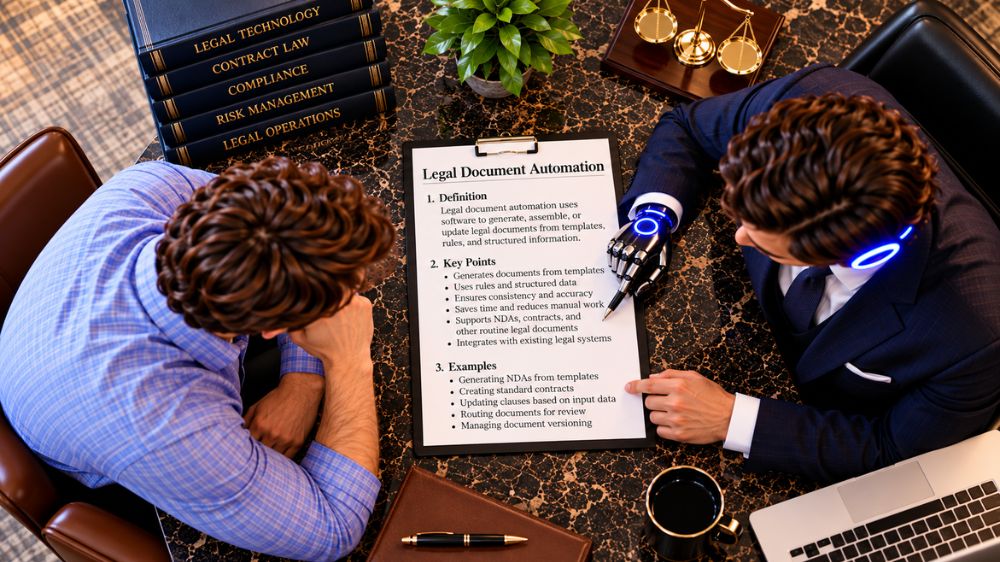
“The legal department used legal document automation to generate routine NDAs from an approved template while routing nonstandard terms to counsel.”
What Is Legal Document Automation?
Legal document automationLegal Document GeneratorA legal document generator creates legal documents from approved templates, structured data, and automated logic, often with optional AI-assisted drafting and review.View definition uses software to generate, assemble, or update legal documents from templates, rules, and structured information.
The goal is to reduce repetitive drafting while preserving approved language and review controls.
Automation can support contracts, forms, letters, pleadings, policies, corporate documents, and other repeatable legal work.
Standard Legal Document Automation — Sample Contract Language
Suppose a company handles hundreds of routine NDAs each month. The legal team builds an approved template with conditional clauses.
How Does Legal Document Automation Work?
A document automation system starts with a template containing approved language. It then inserts information supplied by a user or another system.
For example, a questionnaire can collect party names, dates, payment terms, and governing lawBoilerplate ClauseA boilerplate clause is standardized contract language addressing recurring legal mechanics such as notice, assignment, governing law, waiver, severability, and integration.View definition .
Next, rules determine which clauses or sections appear in the final document.
What Is a Document Template?
A document template is a reusable starting document containing standard language and variable fields.
For example, an NDA template can contain approved confidentialityEmployment ContractAn employment contract is an agreement defining terms of an employer-employee relationship. It can cover duties, compensation, benefits, equity, confidentiality, intellectual property, restrictive covenants, termination, severance, and dispute procedures while remaining subject to...View definition language while leaving party names and dates as variables.
Therefore, templates help standardize repeatable drafting.
What Are Document Variables?
Variables are fields that change from one document to another. Common variables include names, addresses, dates, amounts, and contract terms.
For example, a lease template can insert a different rent amount for each transaction.
Therefore, structured data can replace repetitive manual typing.
What Is Conditional Logic?
Conditional logicDocument AssemblyDocument Assembly uses templates, structured inputs, and rules to generate tailored legal documents. It can automate clauses, fields, formatting, and repetitive drafting while integrating with data systems, e-signature, and workflow tools, but reliable...View definition changes a document based on selected facts or answers.
For example, a software agreement can add a data-processing section only when personal dataPersonally Identifiable Information (PII)Personally Identifiable Information (PII) is information that can distinguish or trace an individual’s identity alone or with other linked or linkable information. Common examples include identifiers, contact details, biometrics, financial information, health information,...View definition is involved.
Therefore, one template can support several transaction variations.
What Is Clause Automation?
Clause automation selects or inserts contract language based on defined rules.
For example, a high-risk transaction can trigger a stronger indemnity clauseIndemnity DefinitionIndemnity is a legal obligation to compensate or protect another party against specified losses, claims, liabilities, or expenses. It commonly arises through contracts and insurance and can include reimbursement, defense duties, settlement procedures,...View definition .
However, automated clause selection should follow an approved legal playbook.
What Is a Legal Document Questionnaire?
A document questionnaire collects the information needed to create a document.
It can use simple questions, dropdowns, dates, calculations, and conditional follow-up questions.
Therefore, users can provide structured answers without editing the legal template directly.
What Documents Can Be Automated?
Many repeatable legal documents can support automation.
- Nondisclosure agreements.
- Employment agreements.
- Vendor agreements.
- Corporate resolutions.
- Board consents.
- Operating agreements.
- Demand letters.
- Court forms.
- Engagement letters.
- Privacy notices.
- Policies and internal forms.
However, highly customized matters may still require substantial manual drafting.
What Are the Benefits of Legal Document Automation?
Automation can improve speed, consistency, and process control. It can also reduce repetitive drafting work.
Common benefits include faster document creation, fewer data-entry errors, standardized clauses, and easier approval workflows.
Therefore, lawyers can spend more time on judgmentCivil LawsuitA civil lawsuit is a noncriminal court action in which a plaintiff seeks a legal remedy from a defendant. The process can include jurisdiction, pleadings, service, discovery, motions, settlement, trial, judgment, enforcement, and...View definition , negotiationAlternative Dispute ResolutionAlternative Dispute Resolution, or ADR, includes negotiation, mediation, arbitration, settlement conferences, and other processes used outside ordinary trial adjudication. Each method differs in neutrality, confidentiality, party control, binding effect, cost, and review.View definition , and complex analysis.
Can Document Automation Reduce Drafting Errors?
Yes. Automation can reduce some copying, formatting, and data-entry errors.
For example, one answerCivil LitigationCivil Litigation is the court process for resolving noncriminal disputes through pleadings, motions, discovery, settlement, trial, judgment, and possible appeal. Federal civil litigation follows the Federal Rules of Civil Procedure, while state systems...View definition can populate the same client name throughout a document.
However, incorrect source data or flawed logic can still create errors.
What Is Template Governance?
Template governance controls who can create, edit, approve, and publish legal templates.
For example, a legal department can require senior review before a new clause becomes available to business users.
Therefore, governance helps prevent outdated or unapproved language from spreading.
What Is Version Control?
Version controlLegal Document ManagementLegal document management controls how legal work product is stored, searched, versioned, secured, shared, and retained across matters and teams.View definition tracks changes to templates and generated documents.
For example, a system can record when the legal team updated a limitation-of-liability clause.
Therefore, users can identify which language applied at a specific time.
What Is a Clause Library?
A clause libraryContract Lifecycle ManagementContract Lifecycle Management, or CLM, manages contracts from request and drafting through negotiation, approval, execution, storage, obligation tracking, renewal, and termination. CLM software can automate workflows, metadata, alerts, reporting, and integrations.View definition stores approved provisions for reuse across documents.
For example, a company can maintain several approved confidentiality clauses for different risk levels.
Automation rules can then select the appropriate clause.
Can Legal Document Automation Use AI?
Yes. Modern automation tools can combine traditional templates and rules with artificial intelligence.
AI can help summarize instructions, classify inputs, suggest clauses, or generate first drafts.
However, deterministic rules can remain better for fields that require exact and repeatable output.
Rule-Based Automation vs. Generative AI
Rule-based automation follows predefined logic. Generative AI creates text based on prompts and model behavior.
Rule-based systems can provide more predictable output for standardized documents.
By contrast, generative AI can offerOffer and AcceptanceOffer and Acceptance describes how parties manifest mutual assent to a contract. A valid offer gives another party power to accept, while acceptance must objectively communicate assent through an authorized method, subject to...View definition flexibility but may produce unsupported or inconsistent language.
What Is Human Review in Document Automation?
Human review means a qualified person checks the generated document before important use.
For example, a lawyer can confirm that selected clauses fit the transaction and governing law.
Therefore, automation can speed drafting without eliminating professional responsibility.
What Are the Risks of Legal Document Automation?
Automation can reproduce outdated templates, incorrect logic, or inaccurate user inputs at scale.
In addition, generated documents can create privacy, confidentiality, security, and privilege concerns.
Therefore, automation needs testing, access controls, and regular template maintenance.
What Is a Logic Error?
A logic error occurs when the automation applies the wrong rule or clause.
For example, a system might insert a California-specific provision into a contract governed by another state.
Therefore, test cases should cover expected and unusual scenarios.
How Should Automated Templates Be Tested?
Testing should use representative scenarios and known expected outputs.
For example, reviewers can test different jurisdictions, entity types, payment structures, and optional provisions.
Next, the legal team should verify that every branch produces the intended language.
What Is Document Assembly?
Document assembly is the process of building a document from reusable text, variables, and rules.
The term often describes traditional legal automationLegal Workflow AutomationLegal workflow automation uses forms, rules, integrations, and AI to move repeatable legal work through defined steps, reducing manual coordination while preserving appropriate review and escalation.View definition systems.
Therefore, document assembly is a core part of legal document automation.
What Is Contract Generation?
Contract generation creates a draft agreement from structured information and approved language.
For example, a salesperson can answer approved questions and generate a standard order formMaster Service Agreement (MSA)A Master Service Agreement, or MSA, sets recurring legal and commercial terms for an ongoing service relationship. The parties can then use SOWs, order forms, or schedules for project-specific scope, pricing, deliverables, and...View definition .
However, unusual commercial terms can trigger legal review.
What Is Self-Service Contracting?
Self-service contracting lets approved business users create certain contracts without waiting for manual legal drafting.
For example, a sales team can generate a low-risk NDA from an approved workflow.
Therefore, legal teams can reserve attention for exceptions and higher-risk deals.
Can Legal Document Automation Integrate With Other Systems?
Yes. Automation tools can connect with CRM systems, CLMContract Review SoftwareContract review software helps users examine agreements, identify important provisions, compare language, apply playbooks, suggest redlines, and manage review workflows. Some platforms use AI, while others rely on rules, templates, comparison tools, and...View definition platforms, e-signature tools, document repositories, and matter-management systems.
For example, a CRM can supply customer data directly to a contract template.
Therefore, integrations can reduce duplicate data entry.
Legal Document Automation vs. CLM
Contract lifecycle management, or CLM, manages a broader contract process from request through renewal.
Legal document automation focuses more specifically on generating and assembling documents.
However, many CLM platforms include automation features.
Legal Document Automation vs. Document Management
Document management software stores, organizes, and retrieves files. Document automation creates or updates documents from templates and data.
Therefore, the two tools can work together but solve different problems.
Legal Document Automation vs. AI Drafting
Traditional automation uses controlled templates and decision rules. AI drafting can generate new language with greater flexibility.
Therefore, organizations can combine both methods depending on the task.
High-volume standardized documents often benefit from predictable rules and approved templates.
Legal Document Automation Example
Suppose a company handles hundreds of routine NDAs each month. The legal team builds an approved template with conditional clauses.
A business user answers a short questionnaire. The system generates the NDA and routes exceptions to legal counsel.
Therefore, routine agreements move faster while legal controls remain in place.
Why Does Legal Document Automation Matter?
Legal document automation can reduce repetitive drafting and improve consistency across high-volume legal work.
However, poor templates or logic can reproduce mistakes quickly.
The key questions are practical. Which documents are repeatable? Which rules can be standardized? Who approves templates? Who reviews exceptions?